
Browser extension for Microsoft Edge
Free document templates, one click away
Browse, preview and download calendars, resumes, invoices, posters and more from your browser’s side panel, right next to the page you are working on.


What it does
Everything you need to find the right template
-
Browse by category
Calendars, resumes, invoices, flyers, posters, presentations, planners and more, organised the way you look for them.
-
Search that keeps up
Type what you need and press Enter. Press / to jump to the search field from anywhere in the panel. Your recent searches stay on your device.
-
Preview, then download
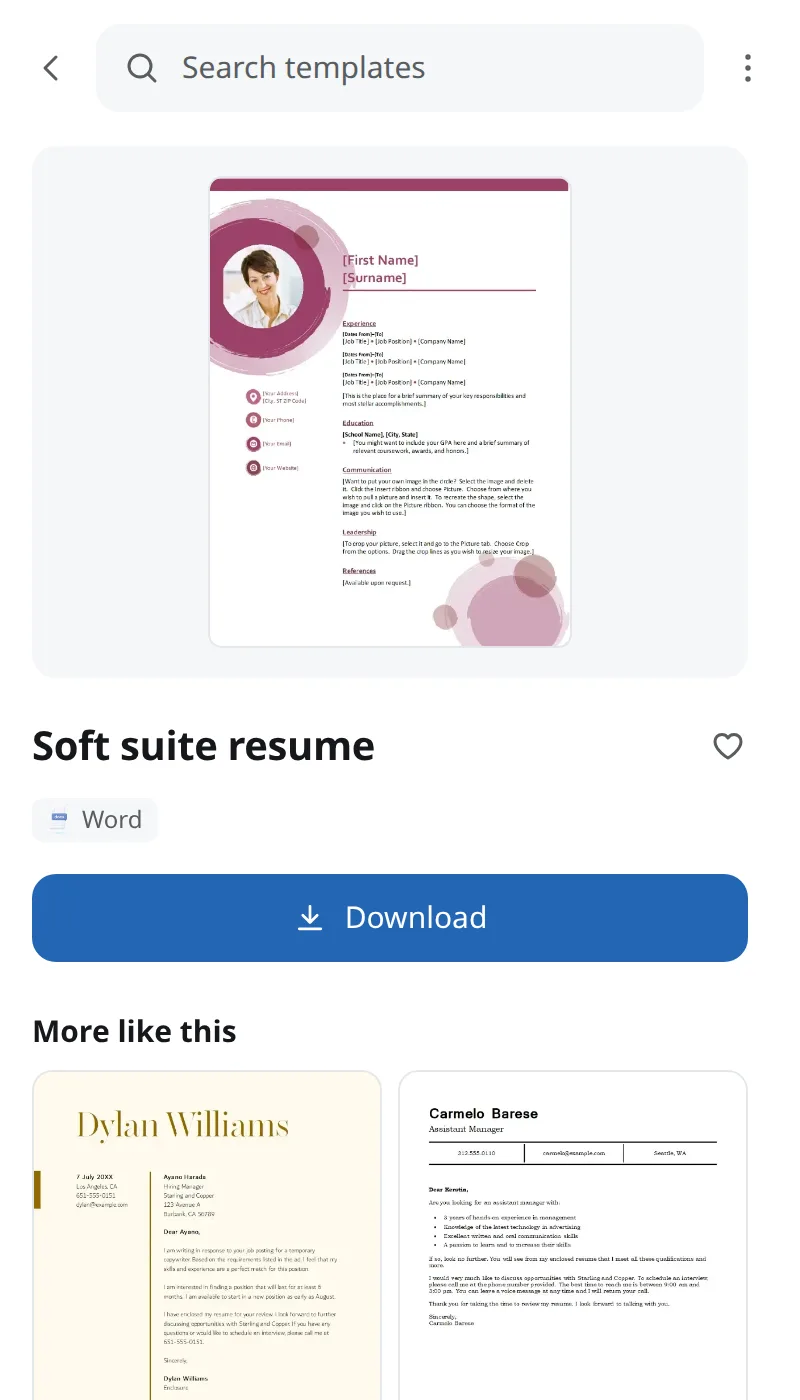
See a large preview, the file type and more templates like it, all without leaving the panel. Download opens the file in a new tab.
-
Save your favorites
Tap the heart on any template. Up to 100 favorites are kept on your device, ready the next time you need them.
-
Suggested for this site
On a job site? You may see resume templates first. The match happens on your device: the address of your tab is never sent to us.
-
Picks up where you left off
Close the panel mid-search and reopen it within 30 minutes: you land exactly where you were. Follows your light or dark setting.
How it works
From install to download in three steps
-
Add it to Microsoft Edge, then open the panel
Install the extension from the Microsoft Edge Add-ons store, then click its toolbar button. The side panel opens next to the page you are on, so you never lose your place. Pin the button from the puzzle-piece menu to keep it handy.
Add to Edge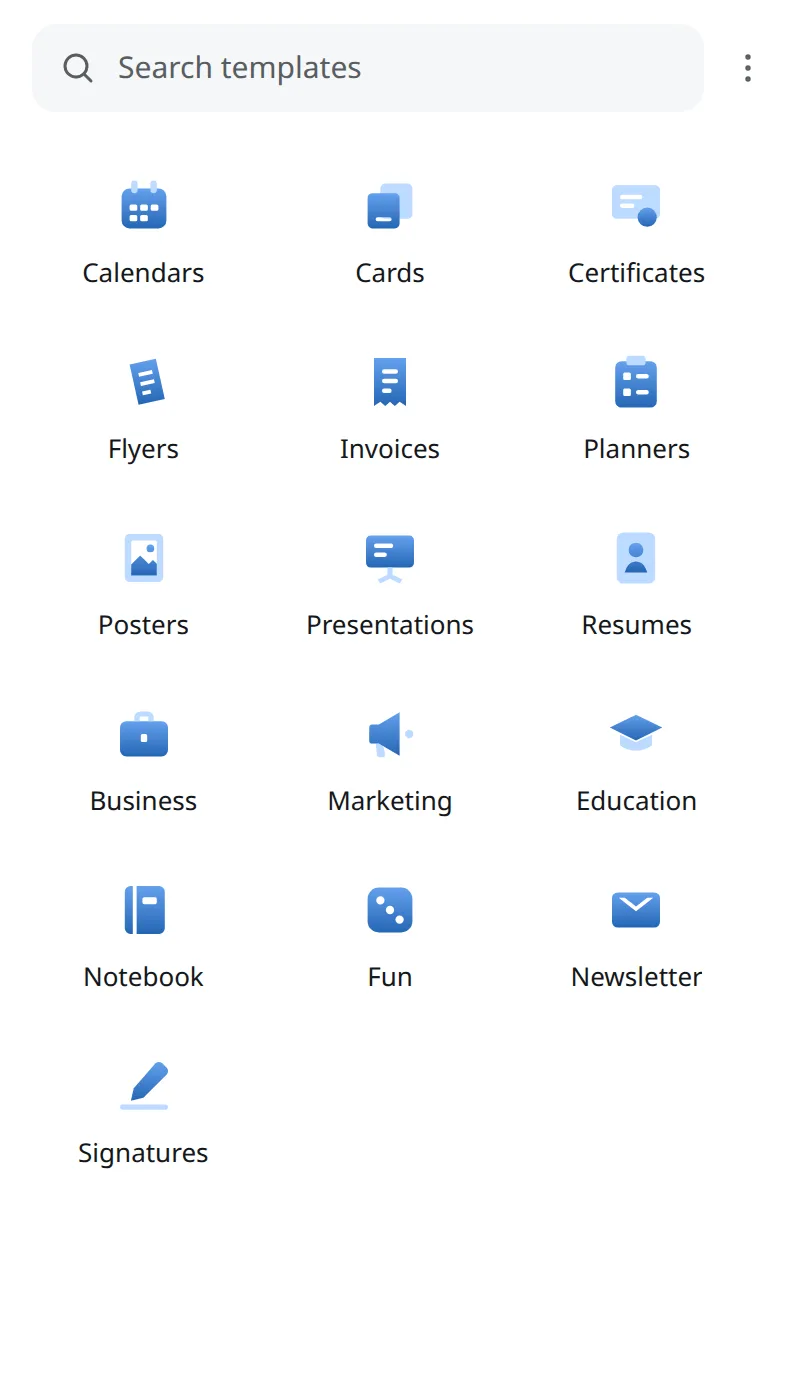
-
Pick a category or search
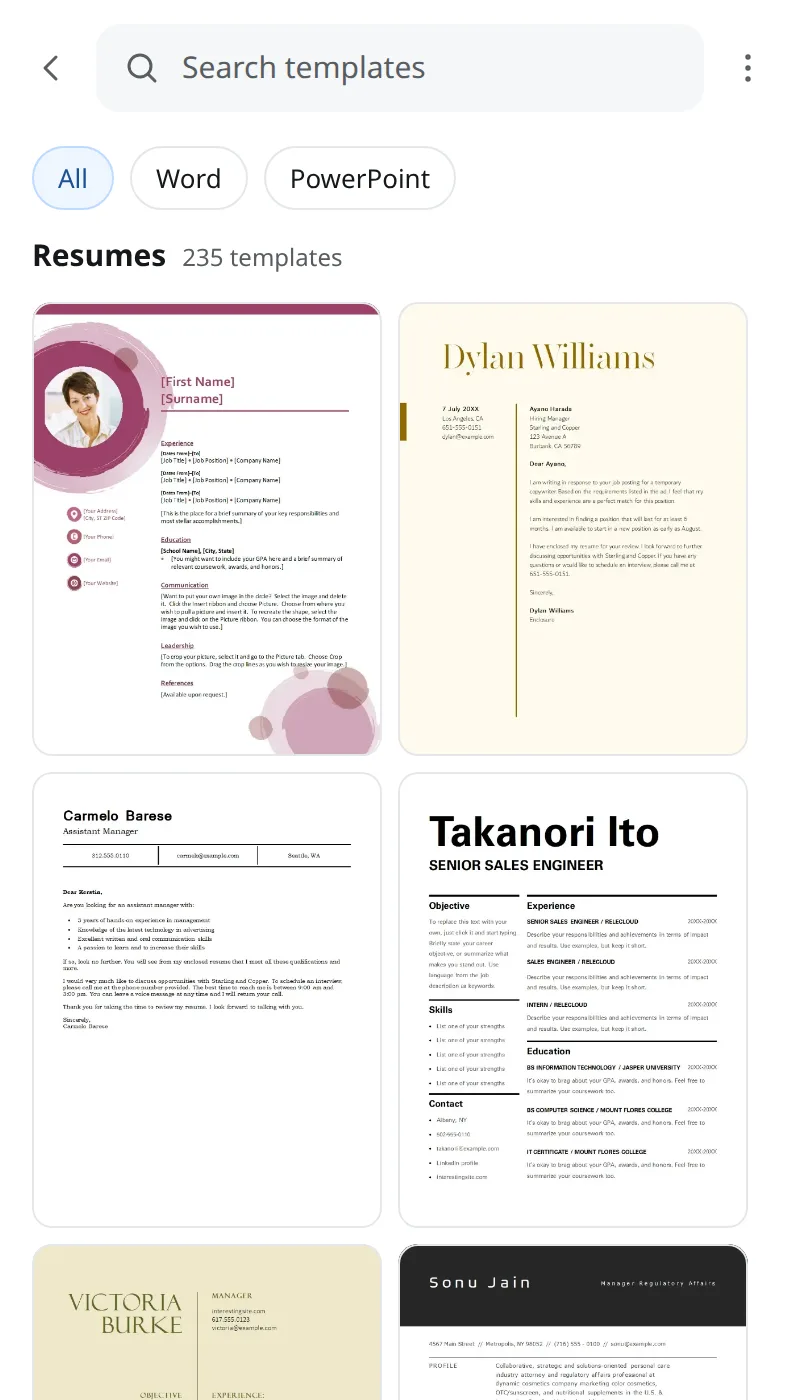
Browse by category or type what you need. Scan the previews and filter by file type until something looks right.
-
Preview it, then download
Open a template for a large preview, then hit Download. The file opens in a new tab; edit it in the app you already use.

How it stays free
Free, supported by sponsored pages you can cancel
To keep Online Templates Library free, it may open a sponsored page in a new tab. They are on by default, clearly marked, and you decide.
- Topics, worked out on your device. The extension reads a page’s title, description and headings locally and turns them into general topics. The page’s address, title and text are never sent.
- Only topics and a random ID are sent. No name, no account, no browsing history.
- You get a countdown first. If an offer is available, a notice appears for five seconds. Press Cancel or Escape and nothing opens.
- Switch it off any time. Use the ⋯ menu or the options page. When it is off, no page is read and no offer is requested.
Privacy
Plain about your data
No account, no sign-up, no reading of the pages you visit. Here is the short version; the privacy policy has the details.
- On your device: favorites, recent searches and settings.
- Sent to our catalog: the searches and categories you open, so we can return results.
- Never sent: the address of the tab you are on, or the title and text of the pages you visit. With sponsored offers on, only general page topics and an anonymous ID are sent.
FAQ
Questions, answered
Is it free?
Yes. The extension and its templates are free to use. To help keep it that way, the extension may show sponsored offers (see below). Individual templates can carry their own usage terms, so check the template before you reuse it commercially.
Which browsers are supported?
Online Templates Library is built for Microsoft Edge on desktop, using the browser’s side panel.
Do I need an account?
No. There is nothing to sign up for, and we do not ask for your name or email address.
Can I edit templates inside the extension?
No. The extension is for finding and downloading. Download opens the template’s file in a new tab, and you edit it in the app you already use.
What data does it collect?
Very little. Searches and category requests go to our catalog to return results, and your favorites, recent searches and settings stay on your device. The full list is in the privacy policy.
What is sponsored offers?
To help fund the extension, it may sometimes open a sponsored page (an advertisement) in a separate browser tab. A short on-screen countdown (“Sponsored page opening in 5”) comes first and you can cancel it with the Cancel button or Escape. It is an ordinary web page run by an advertiser; it never opens inside the panel. To pick a relevant one, the extension reads the title and headings of the page you are on and works out its topic on your device; only the topic and a random anonymous ID are sent, never the page address, title or text. You can turn it off at any time with the “Show sponsored offers” switch in the ⋯ menu or on the options page.
Why does it need access to my tabs?
Only to read the address of the tab you are on, so it can suggest a relevant category (for example, resumes on a job site). That happens on your device and the address is not stored or sent anywhere.
How do I uninstall it?
Open edge://extensions, find Online Templates Library and choose Remove, or right-click the toolbar button and choose “Remove from Microsoft Edge”. Data kept on your device is deleted with it.